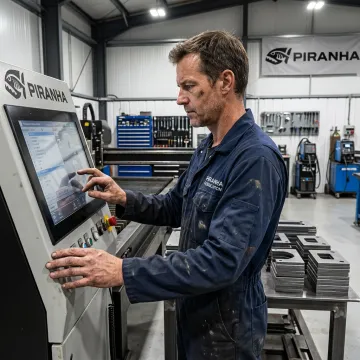
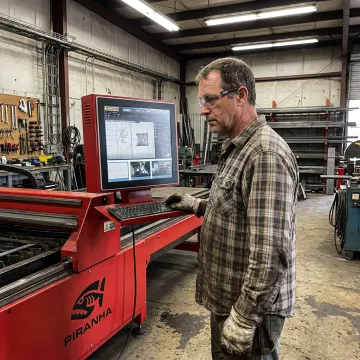
What should I look for in CNC plasma software?
Look for software that fits your complete workflow: part import or creation, nesting, cut sequencing, post-processing for your machine controls, and operator usability. It should support the materials and part volumes you run today while allowing for future production changes. Also consider training access, technical support, and how the software integrates with your CNC plasma table and automation plans.
Is CNC plasma software the same as CAD/CAM software?
Not exactly. CAD software is generally used to create or edit part drawings, while CAM software converts those drawings into machine-ready cutting instructions. CNC plasma software may include CAD, CAM, nesting, machine-control, or job-management functions. A complete setup often uses connected tools so a drawing can move efficiently from design through nesting and production.
Why is nesting important for plasma cutting?
Nesting arranges parts on a sheet or plate to use material efficiently and reduce remnant waste. Effective nesting also considers cut order, lead-ins, common-line cutting where appropriate, and spacing between parts. For fabrication shops processing frequent or high-volume jobs, these improvements can reduce material costs, shorten programming time, and create a more predictable cutting workflow.
Can CNC plasma software work with existing cutting equipment?
Compatibility depends on the table, CNC controller, plasma power source, software post-processor, and the condition of the existing equipment. Before selecting software, document your machine’s make, model, controls, file requirements, and production goals. A fabrication equipment specialist can help determine whether a software solution can support the current setup or whether controls and equipment upgrades should be considered.
How does CNC plasma software improve cut quality?
Software contributes to consistent cut quality by generating appropriate toolpaths, lead-ins and lead-outs, cut sequencing, and machine-ready code. It cannot replace correct machine setup, consumables, torch height control, or material preparation, but it helps standardize programming decisions. Combined with trained operators and properly maintained equipment, it supports cleaner edges and repeatable part results.
Do operators need training to use CNC plasma software?
Yes. Training helps operators understand job setup, file preparation, nesting decisions, machine controls, troubleshooting, and safe operating practices. Piranha offers onsite training at the factory and during installation, plus online training with a live host for applicable equipment. Training can cover operator operation, maintenance, and application-focused guidance to help teams use their systems confidently.
What support is available after purchasing fabrication equipment?
Piranha provides lifetime service and support for its CNC fiber lasers, including remote diagnostics, phone and email assistance, direct control software support, and trained service engineers. In-stock spare parts are available from the U.S. inventory in Belvidere, Illinois, with same-day shipping available for qualifying in-stock items. Support options should be confirmed for the specific equipment and software configuration.
Can Piranha help plan for future cutting automation?
Yes. Piranha’s fabrication approach considers how a shop’s production needs may change over time. Its cutting equipment offerings are positioned for automation readiness, allowing manufacturers to evaluate loading, unloading, and workflow expansion without automatically replacing the core machine. Discussing current throughput, material handling, labor needs, and anticipated growth helps identify a scalable path.